Tools · Spreadsheet
Consolidated Account Reconciliation Workbook
A spreadsheet for keeping several bank, savings, and card accounts in one place. Enter each account's activity once, see every balance and the combined total, and check each statement against your records.
$26
Checkout opens on Gumroad, an outside store. See privacy.
See it
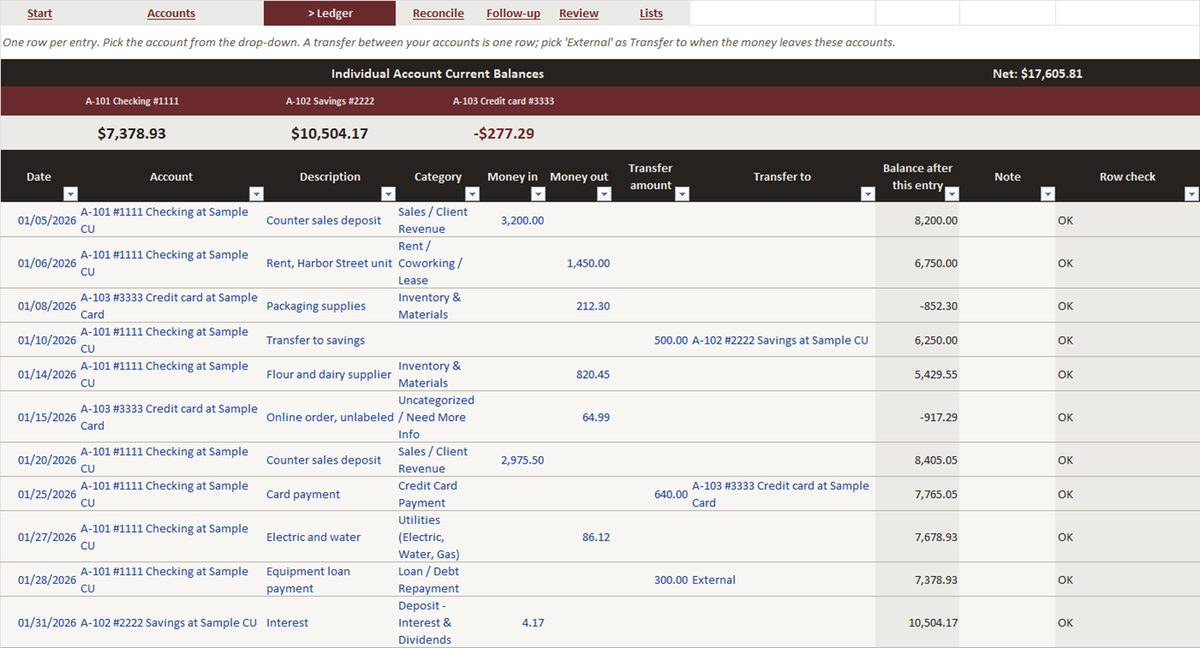
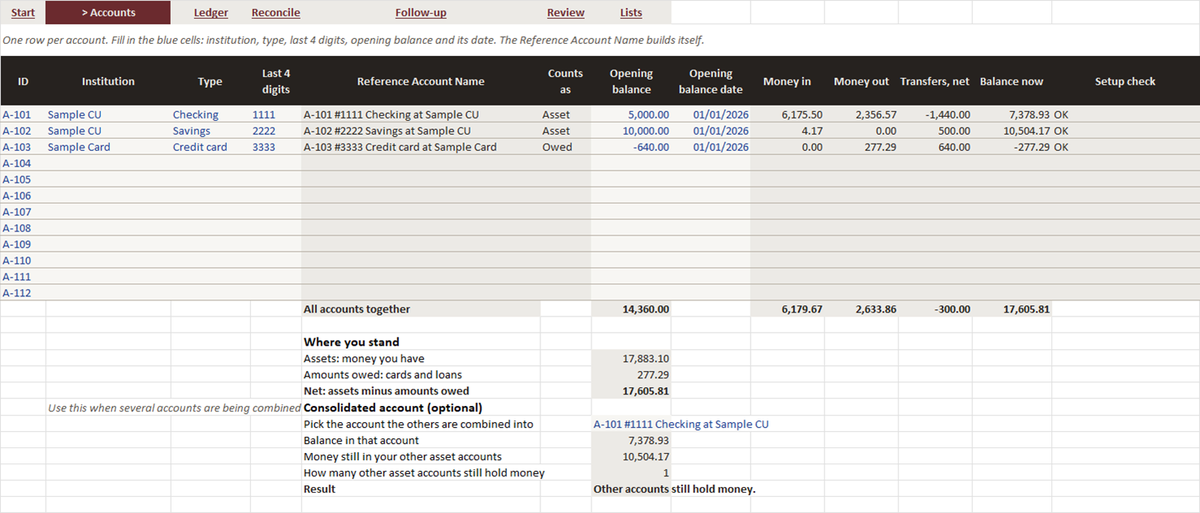
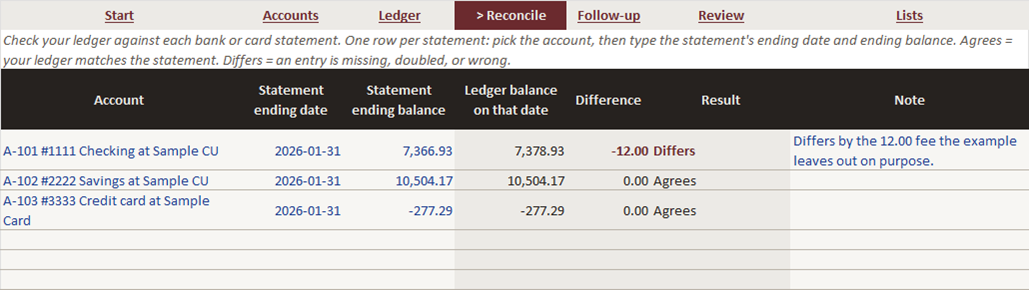
These are from the made-up example (a small bakery), included with the workbook.
What it does
- Accounts. Set up to 12 accounts: institution, type, last four digits, opening balance and date. Each gets a short reference name for the drop-downs.
- Ledger. One row per entry, up to 2,000 rows. The balance after each entry is worked out for you. A check column flags a missing date, a missing amount, or a transfer that does not make sense.
- Transfers. Money moving between your own accounts is one row, with no category. Money leaving to someone outside the accounts is a transfer to "External", with a category such as Credit Card Payment.
- Balances. A band at the top of the Ledger shows each account's current balance and the combined net.
- Reconcile. Enter each statement's ending date and balance. The workbook shows whether your ledger agrees, and by how much it differs.
- Follow-up. Lists the entries that need attention: problems in the check column, and anything marked "Uncategorized / Need More Info".
- Review. Totals by category, with transfers between your own accounts left out so nothing is counted twice, plus a short list of checks.
- Categories. A starting list of 34, in plain tables you can edit, reorder, or add to.
- More room. Plain steps on the first sheet for starting a new month or year, or when you need more rows.
What you get
- A blank workbook, ready for your accounts.
- The same workbook filled with a made-up example (a small bakery), so you can see how it works first.
- Google Sheets copies of both, as copy links.
- Plain instructions on the first sheet, and short tips on the column headings.
Good to know
- Made for desktop Microsoft Excel. Tested in Excel for Windows. It has no macros. It has not yet been tested on Mac or in Excel for the web, so try the made-up example first and check that the balances look right before you rely on it.
- The Google Sheets copies are a bonus. They were checked against the Excel example's numbers, but they do not have locked formulas or hover tips on the column headings.
- Formula cells are locked to prevent accidental changes. The lock has no password and is not a security feature.
- It does the arithmetic and shows differences. It does not decide what a difference means, whether an entry is correct, or whether the result is right for your situation. Check it against your statements yourself.
- It is not legal, tax, or accounting advice, and it is not a substitute for a professional who knows your situation. Exhibit & Ledger LLC is not a law firm or an accounting firm.
- Your data stays in your file on your computer. Please keep your own backup.
- One license per person or business. Please do not share or resell the file. See the terms and privacy pages. Refunds are described in the terms.
Also from Exhibit & Ledger: GA Estate Inventory and Accounting Workbook, for Georgia probate inventory and returns. See all tools.